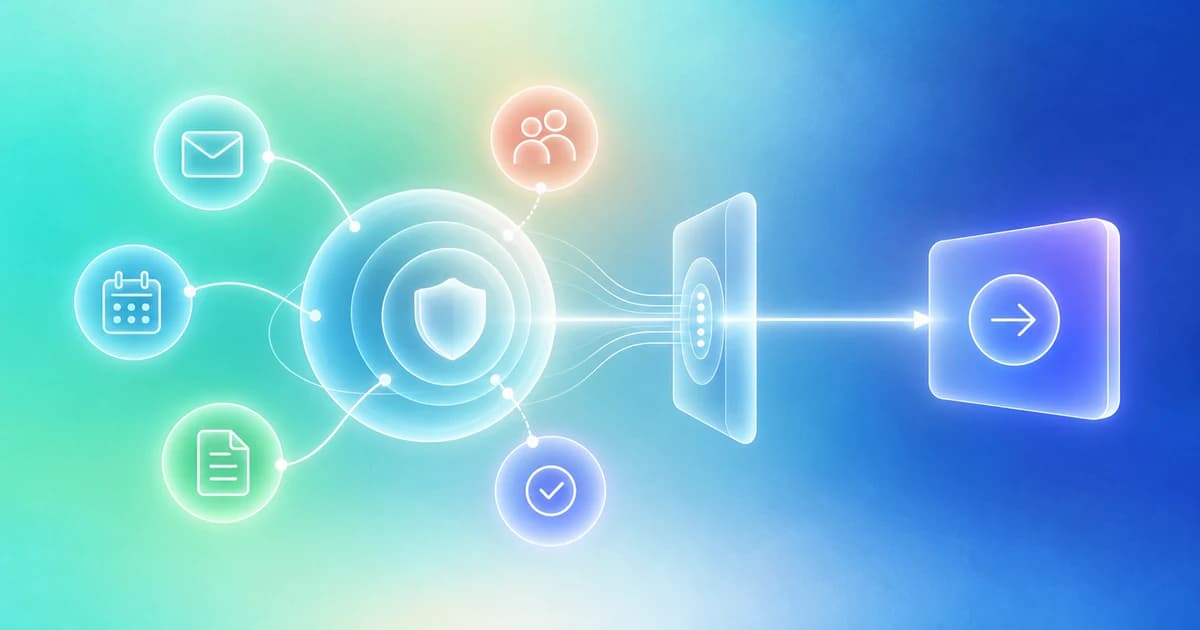
A personal intelligence hub brings relevant information from your work or life into a connected, permissioned context that AI can use to answer questions, prepare decisions, and help with next steps. For work, that context might include email, calendar events, documents, relationships, goals, and recurring responsibilities.
The useful part is not having another place to store everything. It is spending less effort reconstructing what matters before you can do something about it.
Imagine opening your day with a clear answer to three questions: Who needs a response? What should I prepare? What did I promise that is still unfinished? A useful hub helps answer those questions from the information you have authorized it to use, while showing where its understanding is incomplete.
What “personal intelligence hub” means
The phrase is still used in different ways. In this guide, we use it to describe a connected layer of context, reasoning, and controlled action. It is a working definition, not an industry certification or a guarantee about a particular product.
“Personal” means the assistance is relevant to your situation. “Intelligence” means the system helps interpret information, rather than only retrieve it. “Hub” means the relevant sources and workflows connect through a useful operating experience. Your original applications may remain the authoritative homes for their data.
Personal intelligence is an application of artificial intelligence, not a competing form of intelligence. Personalization may come from retrieval, saved preferences, and workflow context. It does not necessarily require training a separate model on your data.
The broader language is gaining institutional support. Apple introduced Apple Intelligence in June 2024 as AI that combines model capabilities with personal context. Google introduced Personal Intelligence in Gemini in January 2026, connecting selected Google apps for more relevant assistance. Neither announcement establishes a universal specification for a “hub.”
The information that makes a hub useful
Not every task requires every source. Start with the context that could change the decision.
| Context | The question it helps answer | What it cannot establish alone |
|---|---|---|
| Relationships | Who is involved, and what history do we have? | Whether someone trusts you or will agree to an ask. |
| Email and messages | What was requested, discussed, or delivered? | What happened in disconnected channels. |
| Calendar | What is coming, and when should preparation happen? | Whether a planned meeting actually occurred. |
| Documents | Which evidence or material supports this work? | Whether every file is current or approved for sharing. |
| Goals and tasks | What outcome matters, and who owns the next step? | Whether an inferred obligation is real. |
| Routines and preferences | How should repeatable work be handled? | Permission to take additional actions. |
The important connections often sit between these sources. A calendar appointment becomes more useful when linked to the right person, the latest conversation, and the document they requested.
A practical example: one partnership conversation
Consider this fictional situation. A partnership manager has a call on Thursday. The potential partner asked for a one-page integration summary. An engineer finished the summary, but the manager has not yet reviewed it for external sharing.
A basic search finds the document. A summary explains the last conversation. A well-configured personal intelligence hub could bring the whole situation into a single review:
Thursday’s call depends on the integration summary. A draft exists, but approval to share it has not been recorded. Review the summary first, then prepare the message to the partner.
Notice what the system should not do. It should not treat “document exists” as “document sent.” It should not call the partnership confirmed. It should not disclose internal engineering notes just because those notes were available during preparation.
The useful result is a better next decision, not merely a more confident paragraph.
How it differs from an AI assistant, CRM, or second brain
An AI assistant is an interface for getting help. A hub describes how context and work connect. A product can be both. The right comparison is whether it can retain relevant state, refresh its evidence, and carry an approved task beyond one conversation. Our AI assistant comparison provides a practical test.
A CRM organizes relationships and operating records. A personal intelligence hub may draw on that CRM alongside other sources. It should not silently create competing versions of who owns an account or what stage a deal is in.
A second brain helps you retain and reuse knowledge. A hub becomes useful when the question shifts from “What have I saved?” to “Given what has changed, what should I do?” These approaches can complement each other. Read the second-brain comparison before deciding you need to replace a working system.
Seven questions to ask before connecting your data
Ask a provider to demonstrate which sources are accessible, how current they are, and how the system resolves the identity of a person or document. Then inspect how it separates facts from assumptions, what actions require approval, what happens when access is revoked, and how you can correct or remove remembered information.
Do not accept “private” as a complete technical explanation. On-device processing, cloud processing, model-provider access, storage, retention, and team visibility are separate considerations. A product should explain the relevant boundaries for the workflow you intend to run.
A good initial test uses a conversation whose outcome you already know. Can the hub identify the actual unresolved request? Does it recognize a later reply? Can it say that no action is needed? Those questions reveal more than a polished demonstration with perfect sample data.
Where Finta fits
Finta connects inbox, calendar, CRM, documents, and network context around relationship-driven work. Aurora is Finta’s AI assistant, with product experiences for contextual preparation and next steps. That makes relationships a practical starting point for applying the personal intelligence hub concept.
The proposed evaluation criteria in this guide are not a statement that every capability is available in every Finta account. Connected sources, permissions, supported tools, and workflow settings determine what a particular setup can do.
Start with one relationship and one useful outcome. For example, prepare for a meeting using the latest conversation and approved materials. Inspect the result before expanding into recurring work. Our setup guide explains that sequence.
Common questions
Does a personal intelligence hub have to replace my existing apps?
No. It can connect selected sources while email, calendar, and other applications retain their existing roles. What matters is a clear source of truth for each record and a reliable way to keep context current.
Does personal intelligence mean fully autonomous AI?
No. Retrieval, preparation, recommendations, and external execution are different levels of assistance. A valuable workflow may end with a draft for a person to review.
Who benefits most from one?
The clearest starting point is work where you repeatedly reconstruct context across people, conversations, documents, and deadlines. A standalone writing task may not need a hub at all.
The goal is simple: less time rebuilding the situation, more confidence in the next step. Explore Aurora to see how Finta applies connected context to relationship-driven work.
Continue through the Personal Intelligence collection
- Personal Intelligence for Work: Start with the Decision, Not the Data
- Personal Intelligence Hub vs. AI Assistant: What Actually Changes?
- Personal Intelligence Hub vs. Second Brain: From Remembering to Following Through
- How to Build a Personal Intelligence Hub Without Replacing Every App
- Personal Intelligence vs. Relationship Intelligence: What Each Should Understand
- Build an AI Morning Briefing That Helps You Decide
- Turn Meeting Notes into Follow-Through with Personal Intelligence
- Personal Intelligence Routines: Automate the Review, Not the Relationship
- Personal Intelligence for Founders: Run a Clearer Relationship Week
- Apple and Google Are Making AI Personal. What Does Work Need Next?
- How to Choose a Personal Intelligence Hub: A Practical Buyer’s Checklist
Related guide: AI teammates for private capital.