Workflow
Create an Investor Data Room with AI
Turn an approved source inventory into a tested investor Share Page while preserving human control over disclosure, versions, access, publication, and external communication.
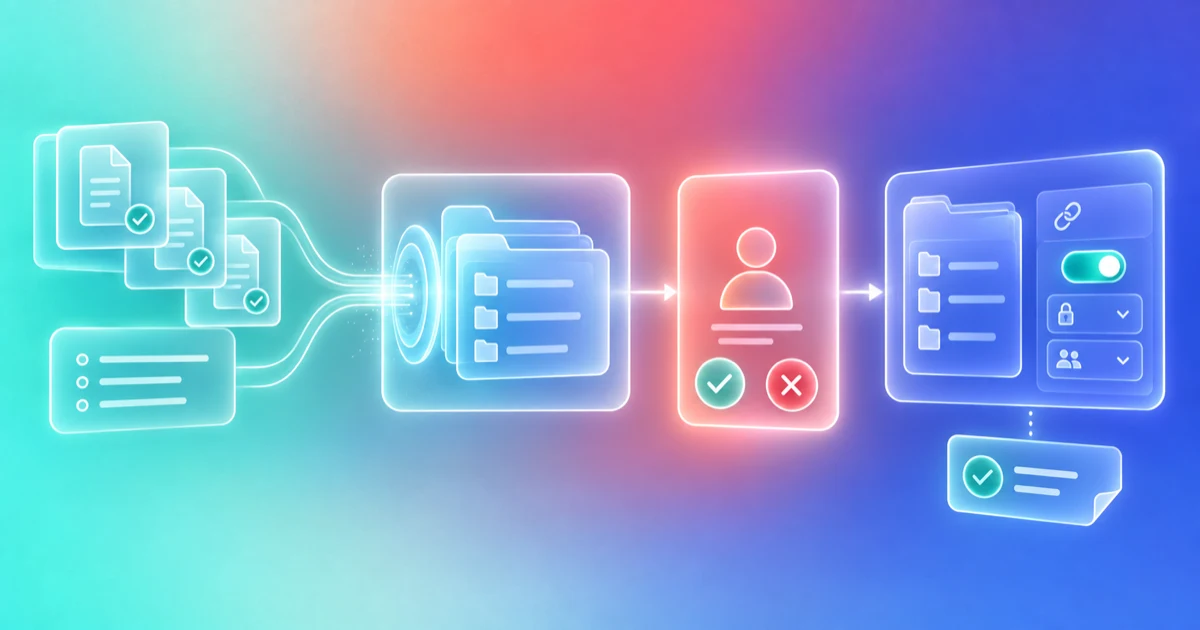
- Audience
- Founders, CEOs, Finance leaders, Fundraising operators
- Products
- Aurora, Documents, Share Pages, CRM
- Prerequisites
- Defined audience and diligence stage, Named room owner, Approved source documents, Sharing policy, Review checklist
- Expected outcome
- A reviewed investor data room with approved material, a deliberate access setting, tested visitor experience, and a publication receipt.
- Approval boundary
- Aurora can inventory supported sources and prepare eligible work. A person approves disclosure, versions, claims, access, publication, and external communication.
Outcome: a reviewed investor data room built from approved source material, with a clear audience, access setting, accountable owners, and a tested visitor experience.
Use Aurora to help inventory, organize, and prepare supported work. A person must decide what may be disclosed, verify every claim and file, choose access, and publish the page. AI can accelerate preparation, but it cannot certify that a diligence room is complete, accurate, legally sufficient, or appropriate for a recipient.
Before you begin
You need:
- a defined fundraising stage and intended audience;
- one accountable room owner;
- current source documents with named legal, finance, and operating owners;
- a list of investor requests or a review checklist;
- a sharing policy for public, email-required, and email-verified material;
- a safe place to record missing, stale, disputed, or not-applicable items.
Do not begin with a prompt that says only “make my data room.” The useful unit of work is a source-backed inventory plus a reviewed disclosure decision.
1. Define the audience and decision
Write down who the room is for and what stage of diligence it supports. A first-meeting overview, partner-review room, confirmatory diligence room, and closing package should not automatically expose the same information.
Record:
| Field | Example |
|---|---|
| Audience | Named seed-fund partner and approved diligence team |
| Fundraising stage | Post-partner meeting |
| Purpose | Respond to the five documents requested on the call |
| Room owner | Founder |
| Expert reviewers | Counsel and finance lead |
| Access | Email-verified |
| Expiration or review date | Date the owner will recheck versions and access |
2. Inventory the source material
Use Finta's documents to include in your data room for due diligence as the canonical starting checklist, then adapt it to the actual investor request. Do not copy the checklist into a second competing inventory. The correct request set depends on company stage, industry, geography, investor, transaction, and professional advice.
For each item, record one of four evidence states: present, missing, unverified, or not applicable. Record sharing approval separately with the accountable owner, intended audience, and review date. Use Review Data-Room Completeness when the inventory is large or several owners must reconcile it.
3. Ask Aurora to organize, not to decide
Upload approved files or folders to Documents. Supported vectorizable formats can be indexed for Aurora. Other allowed formats may remain stored without becoming searchable. Google Drive does not automatically synchronize into Finta Documents, so confirm what is actually present.
Use a bounded prompt:
Review the supported documents available in this folder against the attached checklist. Create an inventory with file name, source date, owner, requested category, and one of these evidence states: present, missing, unverified, or not applicable. Cite the source for every proposed state. Keep sharing approval as a separate field for an accountable human owner. Do not infer legal sufficiency, accuracy, disclosure permission, or investor intent. Prepare the inventory for human review and do not publish or send anything.
Aurora may be able to inspect supported source material, synthesize the inventory, and prepare eligible workspace changes. Results depend on the files, access, tools, and context available at the time.
4. Resolve gaps before designing the page
Route every gap to a named owner. Do not hide missing material by changing the folder label. If a document is unavailable or intentionally withheld, record the reason and decide whether the investor should receive an explanation.
Useful stop conditions include:
- a file has no clear version owner;
- two sources contain different numbers;
- a document includes personal, customer, employee, or other sensitive information that has not been reviewed;
- the source is stale or unsigned;
- counsel, finance, tax, security, or another expert has not completed a required review;
- the recipient or intended access scope is unclear.
5. Build the Share Page
Create a Share Page from supported components, or ask Aurora inside the builder to prepare custom HTML from your instructions, attached files, and supported document-library search. The page can include supported elements such as documents, text, links, buttons, images or video, forms, team cards, meeting links, and deal terms. Use the designated legal and transaction systems for signatures, identity checks, payment details, and closing records.
Keep the first version simple:
- a short approved introduction;
- a clear document index;
- only the files appropriate for this audience;
- one channel for questions;
- one accountable contact;
- a visible date or version context where useful.
Aurora's draft is a proposed presentation layer. Check every number, statement, link, component, and attached file against the source.
6. Choose access and sharing controls
Select public, email-required, or email-verified access. For supported gated pages, page owners can configure dynamic watermarking, ZIP downloads, and investor-accreditation collection.
The access setting is not a substitute for recipient diligence. Email verification confirms access to an email account, not the visitor's authority, accreditation, mandate, or permission to receive every file.
7. Test the visitor experience
Before sharing:
- open the room as the intended visitor;
- test desktop and mobile layouts;
- verify the access flow;
- open every document and link;
- confirm download behavior;
- submit any form with test data;
- confirm the team can distinguish anonymous and identified activity;
- check that removed or internal files are not reachable;
- verify the accountable owner and next review date.
8. Publish and record the receipt
After human approval, publish the Share Page and share it through the agreed channel. Record:
- the page and version reviewed;
- the recipient or intended audience;
- the access setting;
- the approvers;
- the time and channel of sharing;
- the next review date;
- any known gaps or follow-up commitments.
Do not treat publication as evidence that the recipient opened the room, understood it, or agreed to proceed.
Worked example
A founder receives a request for a cap table, monthly financials, customer concentration, and IP assignments. The team inventories the files. The cap table and financials are present and separately approved for the intended investor. The customer schedule remains unverified pending confidentiality review. One IP assignment is missing.
Aurora prepares an inventory and a proposed page structure from supported files. The founder keeps the customer schedule out of the room until counsel approves it and tells the investor that one IP document is being completed. After testing email-verified access, the founder publishes the room. The receipt records the approved version, recipient, access setting, and unresolved item.
Human approval boundary
Aurora can help inventory documents, search supported content, prepare custom HTML, draft explanatory text, propose tasks, and organize next steps. A person must approve disclosure, file versions, claims, access, publication, and any external message.
What this workflow does not replace
- Legal, accounting, tax, privacy, or security review
- A cap-table or financial system of record
- Independent document verification
- Specialist VDR controls such as granular file groups, NDA gates, formal Q&A, redaction, or full audit logs
- Subscription, e-signature, KYC, AML, payment, or fund-administration systems
- Human judgment about what a particular investor should receive
Next step
Use the room as part of a relationship process, not as a detached file dump. Explore Finta for fundraising data rooms, then use Review Data-Room Engagement Before Follow-Up when identified activity arrives.